

What does the priority boost option do?
The option will make SQL Server run the sqlservr.exe process and threads as High Priority.
The priority boost option has the potential to drain resources from essential OS & networking functions, resulting in problems and shutting down SQL Server.
Microsoft's best practices recommend that you do not enable this feature.
How can I check if the priority boost option is enabled?
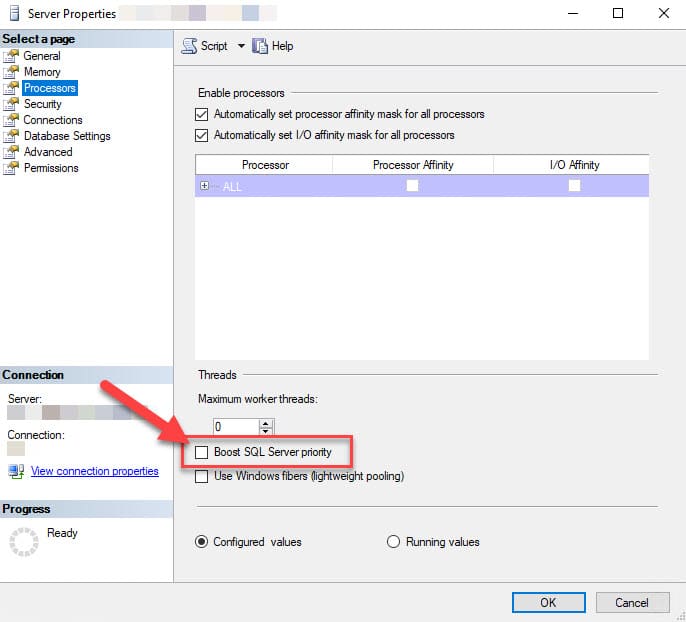
- Using SSMS, right-click the instance name and select Properties.
- Then click on the Processors tab.
- Ensure the checkbox next to Boost SQL Server priority is not ticked.
How do I disable Boost SQL Server priority?
You can disable it using the interface above.
Another way is to implement the change by running the following script:
EXEC sys.sp_configure N'show advanced options'
	,N'1';
GO

RECONFIGURE
GO

EXEC sys.sp_configure N'priority boost'
	,N'0'
GO

RECONFIGURE
GO